home
search parts
avionics
services
quality
line card
contacts
Quality is Sonicare Solutions Inc. highest priority and responsibility as a reseller of electronic components. Sonicare Solutions Inc. is well aware that in this industry, there is a tremendous amount of counterfeit and refurbished product in the market, and not to mention parts that have not been stocked in the correct environment or handled according to their specifications. Sonicare Solutions Inc. has therefore implemented several quality control procedures in order to protect its customers and their products from possible quality issues.
Sonicare Solutions Inc. has implemented strict policies and procedures when it comes to receiving inventory. Along with an inspection check list, our clients can rest assured that we take all of the necessary precautions to avoid supplying non conforming parts.
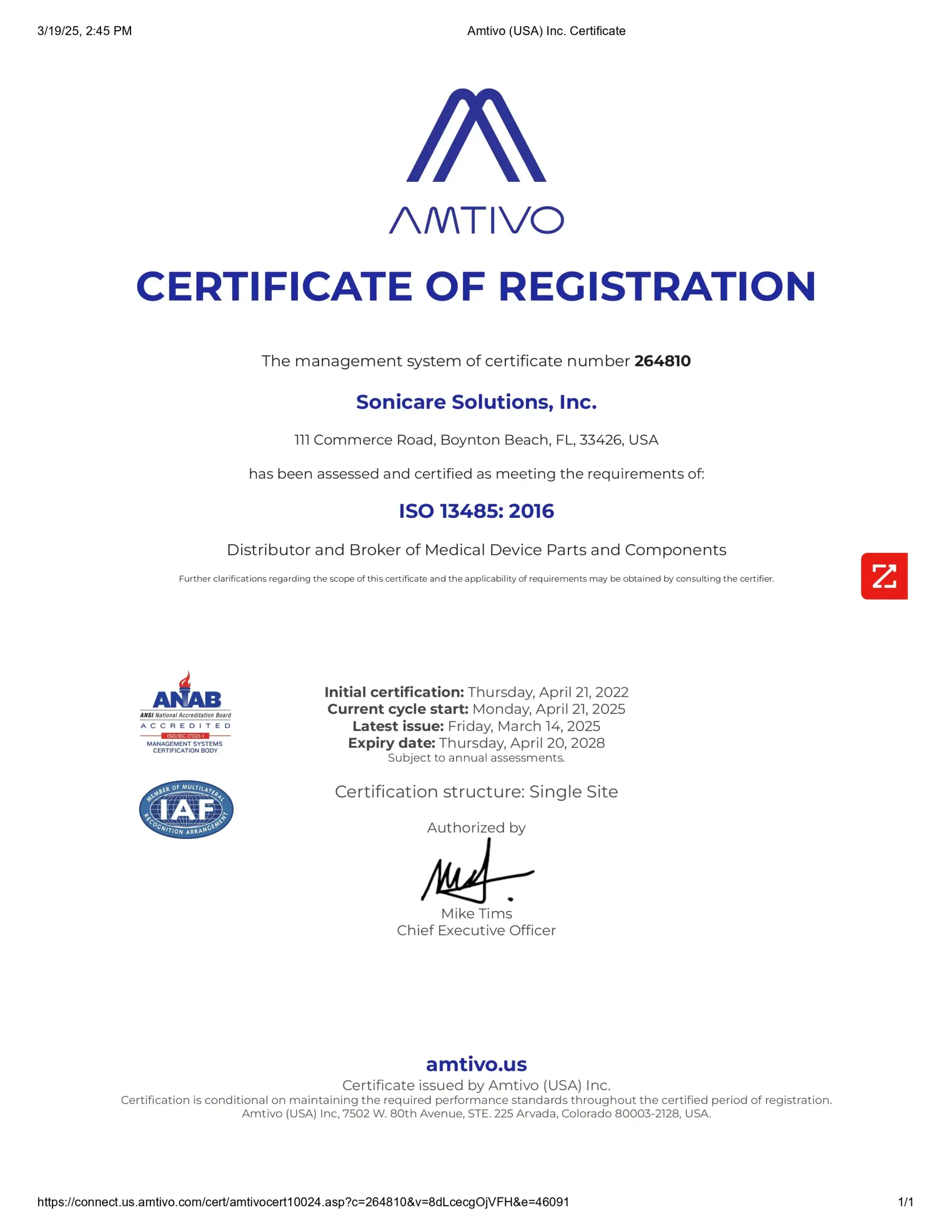
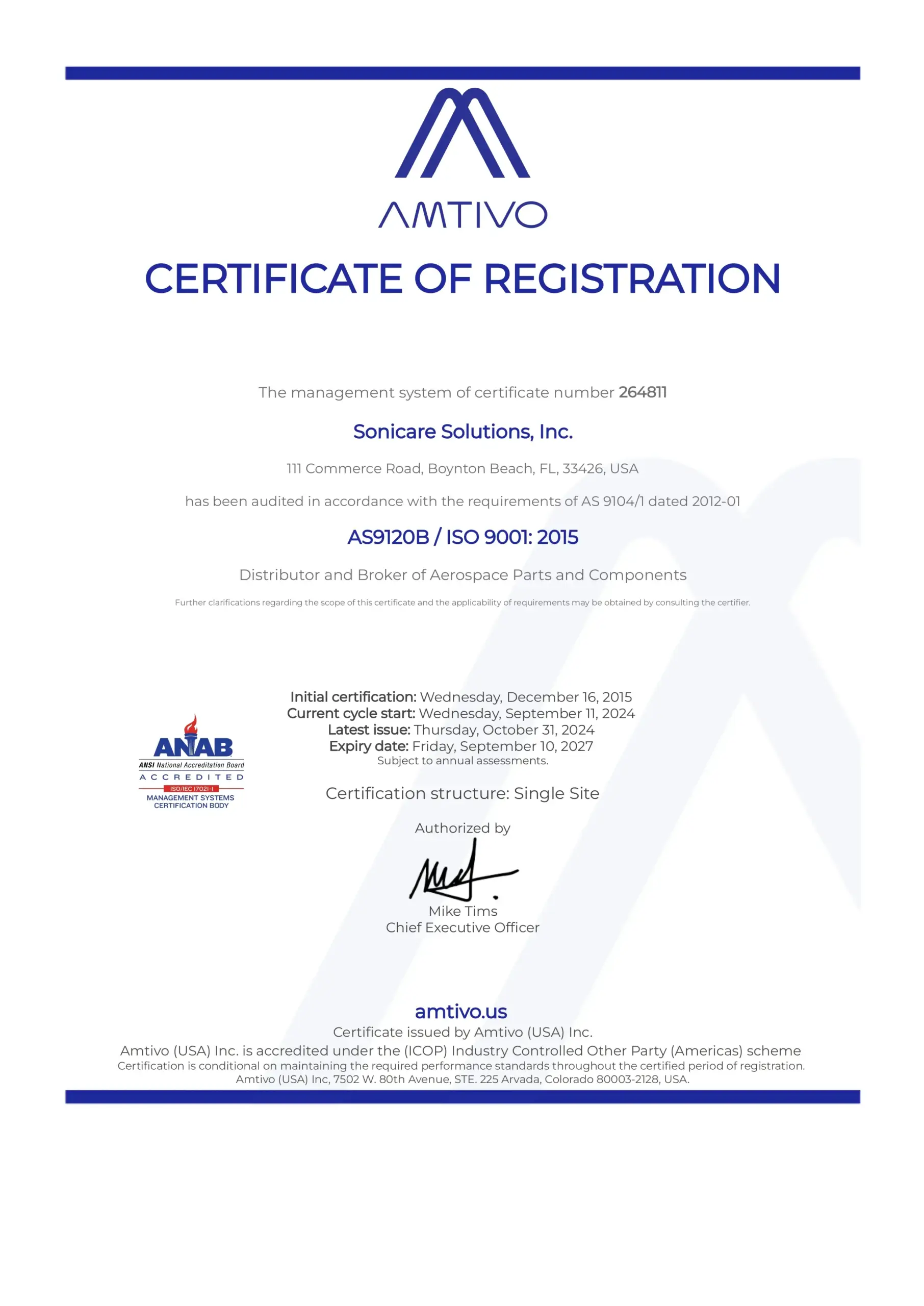
Our Certifications equals our Commitment to our clients. Sonicare Solutions Inc. beliefs in worldwide standards compel us to train and educate our personnel to achieve the highest level of industry recognition.
Inspection Check List
Warranty
Return Merchandise
Terms & Conditions
Privacy Policy
ISO 9001:2008 Certification
Advisory Circular
ANSI/ESD S20.20
Raystar Certification
Quality Policy
All Sonicare Solutions Inc. QC inspectors are required to be thoroughly familiar with all inspection methods, techniques and equipment used in their area of responsibility to determine the quality of an article purchased or sold. All inspection personnel must also maintain proficiency in the use of the various types of visual inspection aids to be used for inspection of the items undergoing acceptance inspection.
The Process
After the receiving inspector has visually inspected the unit and has made a finding as to the status of the unit the receiving inspector shall fill out the form as follows:
1. P.O. # - Enter the Purchase Order Number.
2. Date - Enter the date of the receiving inspection.
3. Part # - Enter the Part Number of the unit(s).
4. Description - Enter the Description of the unit(s).
5. S/N - Enter the Serial Number or Batch Number of the unit(s).
6. Qty. - Enter the Quantity of the unit(s) received.
7. Received From - Enter the name of the shipper or source of the unit(s).
8. Condition - Enter the condition of the unit.
If the unit(s) are accepted by the receiving inspector:
9. Accepted By - The receiving inspector will sign this block only.
10. Location - Enter the stock location where the unit(s) have been properly stored.
11. No further entries are required.
If the unit(s) are rejected by the receiving inspector:
12. Rejected By - The receiving inspector will sign this block only.
13. Location - This Block is preprinted with the word Quarantine. No entry required.
14. Reason - The receiving inspector will briefly describe the problem encountered during the receiving inspection.
To download and view our commercial line card,
click here.
Note: you must have Adobe Acrobat Reader installed on your computer to view these documents. If you have problems opening the document you probably don't have Adobe Acrobat installed.
Click here
to download a free copy of Adobe Acrobat Reader.